Meet Xora,
Your AI Assistant
Your inbox, handled. Summarize, reply, and manage email by voice — powered by AI.
Inbox freedom in four steps
Download MyXora
Get the app from App Store or Play Store. Free to download.
Connect Your Inbox
Securely link your Gmail or Outlook account in seconds.
Set Your Preferences
Customize notifications, summarization, and voice settings.
Talk to Xora
Manage your entire inbox using natural voice commands.
Everything your inbox needs
Email Management
Xora connects to Gmail and Outlook via secure OAuth and can read, summarize, draft, send, and reply to emails based on what you ask.
Inbox Summarization
Instead of reading every message, Xora condenses your emails into quick summaries so you can catch up fast.
AI-Drafted Replies
Generate replies and drafts in seconds. Just review and send — no more typing out responses.
Voice Conversations
Talk to your inbox and have it talk back. Perfect for driving or multitasking.
Smart Notifications
Get alerts for important email updates and AI interactions so nothing slips through.
Multi-Account Support
Connect and manage multiple email accounts (Gmail, Outlook) in one place.
Ship in minutes
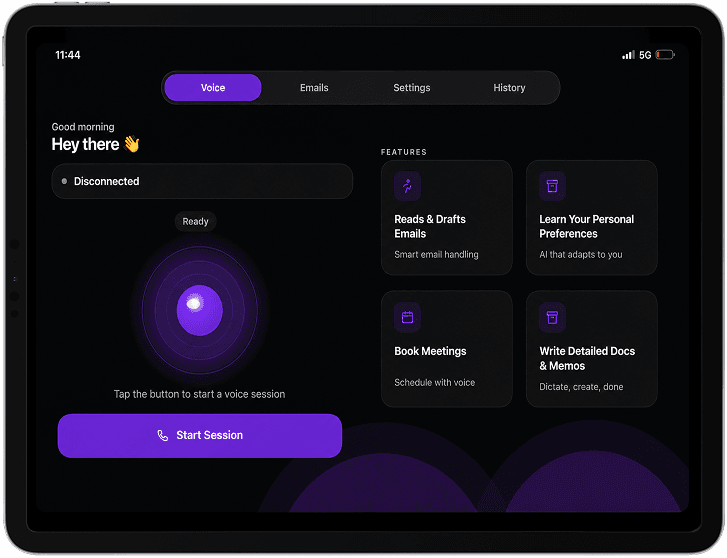
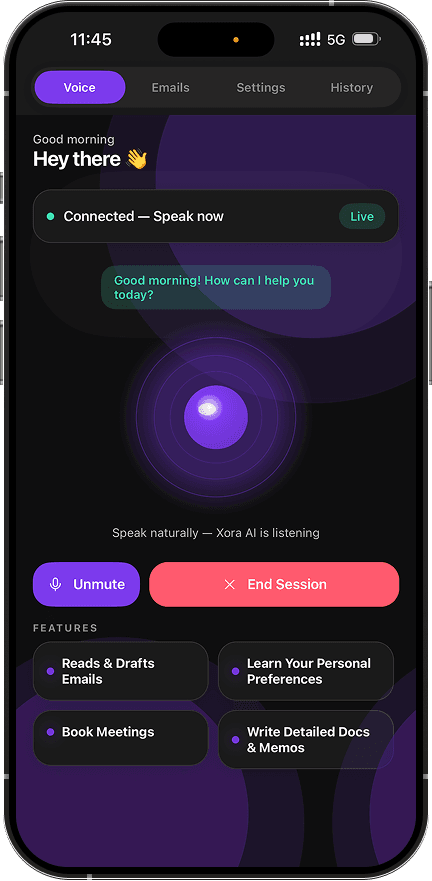
Stop doing it yourself.
Download MyXora free. No credit card. No setup headache. Just speak.
Free to download · iOS 15+ · Android 10+ · 3-minute setup